
This page contains information on UK Network Operator BT Mobile.
Note that as of September 2008, the BT Mobile service is no longer available to new customers.
At FileSaveAs, we have pages dedicated to helping mobile users setup their phones for Web, WAP, media-messaging and email, and this page contains specific information that may be of use to BT Mobile customers.
HTC Touch 2 Windows Mobile Phone 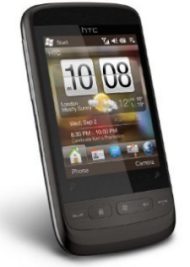 Available for free on BT Broadband Anytime |
HTC Hero Android Phone handset 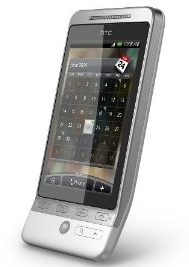 Available for free on BT Broadband Anytime |
BT Mobile useful information:
|
Handset’s serial number: |
Enter ‘*#06#‘ as a phone number, to get your handset’s serial number (known as the IMEI) – useful if your phone is stolen |
|
Software version: |
Enter ‘*#0000#” as a phone number, to get your handset’s software version number. Doesn’t work with all makes of handset |
| Contacting Customer Services |
For Customer Services:
Business Customer Services:
You can email BT Mobile via the Contact us link at www.bt.com/homeplan/ |
BT Mobile GPRS settings
GPRS allows for what has become known as "always on" data connection for GSM mobile phones, allowing for faster WAP browsing, web surfing and email.
Your network operator must enable GPRS settings for
your SIM Card before you can use this. You’ll need to contact Customer
Services. For more on GPRS, see our GPRS
page.
The BT Mobile
GPRS settings can be found on the BT Mobile section of our GPRS
Settings page
BT Mobile MMS settings
MMS is the abbreviation for Multi-media
messaging – sending images and videos between mobiles. Your network operator
must enable MMS settings for your SIM Card before you can use this. You’ll
need to contact Customer Services. For more on picture messaging, see
our MMS page.
The BT Mobile
MMS settings can be found on the BT Mobile section of our MMS
Settings page
For more help, see our Connected? page
|

BT Mobile Frequently-asked
questions:
| What is my SIM card PIN? |
The number is printed on the delivery slip that comes with your SIM card. Note that you get three tries to enter the PIN, and your phone will be locked if you fail after these tries. You’ll then need to contact BT Mobile to get a PUK code (see below). |
| What is my PUK code? |
You will be asked for your PUK code if you’ve had more goes at guessing your SIM Card PIN code than you’re allowed. You’ll need to phone BT Mobile’s Customer Services department if your phone is prompting you for a PUK code – they can provide you with a PUK code to unlock your SIM Card once they have verified your identity. |
| Using services abroad |
Users with
When ‘roaming’ on overseas network, For details |
BT Mobile
Voicemail Frequently-asked questions:
Some help with using your BT Mobile voicemail:
|
Voicemail retrieval number: |
1571 |
| Accessing voicemail from a landline or from abroad |
This is where it all gets a little messy – BT Mobile originally used T-Mobile as their network provider, and are now using Vodafone – which means there are two different methods, depending on which service you were provisioned on.
|
Useful links:
- Mobile FAQ – Answers to common mobile phone questions
- Mobile Internet – Help and advice on getting high-speed net access on your phone or laptop
