
This page contains information on how to use a USB modem for Internet access on a laptop.
Mobile Internet USB Modems?
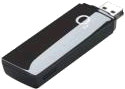 If you want to get high-speed mobile Internet access from your laptop while on the move, you’ll want to consider getting yourself a Mobile Broadband modem. These are small, pocket-sized dongles that plug into a spare USB slot on your laptop.
USB broadband dongles use the mobile phone data network to get fast Internet access without needing to be plugged into a landline or to have wi-fi.
Most of the UK network operators now offer USB modems and high-speed data access. Typically you’ll be looking to pay upwards of £10 a month for the service, although a pay-as-you-go option is also available with most UK network operators.
UK USB Modem providers:
Here’s a summary of the Mobile Broadband offers from some of the UK Network Operators:
|
O2 Mobile Broadband – They’re offering a PC and Mac compatible USB dongle on a £10 a month tariff, with a 1 gig a month data transfer cap. Alternatively, for occasional mobile surfers, get a USB modem dongle for £20 and pay daily or weekly as required. A flexible offering. Details on our o2 Broadband page, or at broadband.o2.co.uk/mobile |
|
|
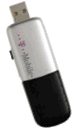
T-Mobile Mobile Broadband – Their Mobile Broadband Plus tariff provides high speed mobile Internet access (up to 1.8Mbps) using a USB broadband modem. The USB modem is sent for next-day delivery. T-Mobile’s Mobile Broadband service costs £15 a month (there’s a monthly "fair usage" limit of 3Gigs a month). There’s also a Pay-As-You-Go option. More at www.t-mobile.co.uk
|
 |
|
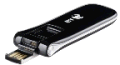
BT Mobile Broadband If you’re considering signing or switching to BT’s home broadband service, you can pick up a BT Mobile Broadband USB modem for as little as a one-off £9.99, with a free allowance of a Gig a month. More details on BT’s Mobile Broadband offering on the BT Mobile Broadband site. |
 |
|
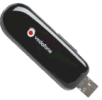
Vodafone Mobile Broadband – Speeds of up to 7.2Meg, Vodafone’s Mobile Broadband is now Half Price for Life – at £15 a month for 3 gig per month. Available with a USB modem. More details at www.vodafone.co.uk. |
 |
  PODCAST FEATURE: PODCAST FEATURE: USB Modems: We looked into USB modems, in show 27. Listen to the show online, or download it to your MP3 player. Listen to Show 27 | What is FrequencyCast? | Add us to iTunes |
USB Modem Reviews
We’ve reviewed a couple of UK mobile broadband services on this site:
- o2 Mobile Broadband: This is currently our preferred mobile broadband provider, as they offer an option to get a day’s worth of mobile broadband for a fixed price, without a contract. See our review of o2 Mobile Broadband, or go to broadband.o2.co.uk/mobile.
- 3 Mobile Broadband: 3 is a network well known for its mobile data services. We reviewed their offering and the ZTE USB modem. See our review of 3 Mobile Broadband, or go to 3’s Mobile Internet site.
Your questions
Q. If your computer isn’t wifi enabled, can you still use a broadband dongle ? Do you need a separate wifi dongle, or is that included in the broadband dongle? (Maki).
Yes, you can use a USB broadband dongle if your computer doesn’t have wi-fi. USB broadband dongles use the 3G mobile phone network, not wi-fi.
Got a question about USB Modems or Mobile Broadband? Ask us! |
Useful Mobile Broadband Links:
- Mobile Internet – Mobile access on laptops, mobile phones and PDAs
- 3G in the UK – More information about 3G data networks in the UK
- o2 Mobile Broadband – Details of o2’s Broadband dongle
- 3 Mobile Broadband – A summary of 3’s mobile internet offering
- UK Mobile Phone FAQ – Need help with UK phone settings or networks? Try here
- Dell laptops – Looking for a new laptop? Build your own Dell
- ATEN KVM – Use two computers with just one mouse, keyboard and screen
- Mobile phone connectivity – Help with getting your mobile phone online for mobile surfing.
