
This page contains information on CLI, caller line identity.
What is CLI?
CLI is a service
supplied by most phone providers, whereby your phone number is transmitted
when you make a phone call. With a CLI-equipped phone (most mobiles have
CLI), you can see who’s calling before you answer.
This page also supplies
details of how to get the convenience of CLI in your home, and not just on your mobile.
If you’re looking to use Caller Display on your home phone line, you’ll need to have your phone
supplier enable this for you. If you’re with BT, you can order this service online from www.bt.com/selectservices,
or call the customer services number on your bill. The cost is £1.75 per month, and this is reduced if you have another Select Service, such
as call waiting, call sign, or call diversion.
Note: As of September 2005. Many domestic users can now get CLI for free – see www.bt.com/btprivacy/
Some examples of CLI products
|
CLI and SMS
|
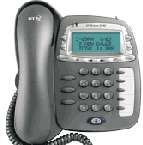
A range of phones now support SMS text messaging The BT Relate SMS handset (pictured) has a 3 line text display, new |
|
Cordless
|
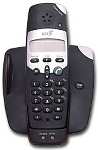
A cordless phone adds a whole load of convenience, they’re fairly Pictured is Recommended for a wide choice of cordless phones supporting CLI |
|
BT Caller
|
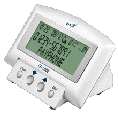
This small unit from BT shows if you’ve received new calls, stores the numbers of up to 40 calls received, shows the number of new calls received since you last viewed your calls list, displays the time, lets you dial selected stored numbers at the touch of a button without picking up the handset, and tells you when the batteries need replacing This and other models are available from the Accessories section at www.shop.bt.com |
TrueCall – Filter nuisance calls
|
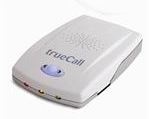
Sick and tired of nuisance calls disturbing your evening? This gadget, featured on the BBC Dragon’s Den show, filters out unwanted calls, while letting your friends and family through. You can also use it to record phone calls and screen "number withheld" callers. Available from Amazon.co.uk – You can find out more on our TrueCall page |
|
Picture Display
|
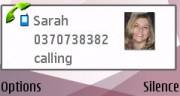
See a picture of who’s calling on your mobile with a Series 60 phone such as the Nokia If you have a Symbian OS mobile phone, take a look at Full Screen Caller, which adds extra caller display features and |
|
Talking Caller
|
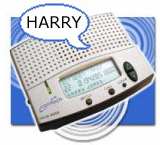
Try Prezzybox and some of the other Gadget Shops for these boxes |
|
TV
|
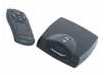 Next Nexttime the phone rings when you’re watching TV, there’s no need to get up and miss your favourite show only to find it’s someone trying to sell you double-glazing. The TV Messenger connects your video and telephone and, if you have a caller display phone, it will display the caller’s name and number on your TV. The caller directory can store up to 40 names and numbers, the Caller Log will store up to 99 calls, and it’s even compatible with call waiting. See who’s calling on your TV screen – you’ll need CLI enabled (a small charge by BT) Around £35 from Prezzybox |
 Forget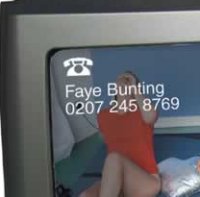
CLI codes
- 1471 – Check
the number of the last person to ring you. Add a "3" to call
the last number - 141 – Dial before
a phone number to withhold your number - 1470 – Dial
before a number to allow your number to be sent even if your network
normally withholds your number
Useful links
- Pathway
– Suppliers of a range of home and business CLI logging equipment.
Log calls to your PC - BT
Codes
– Useful list of special BT short codes - BT Text – Information on getting text messages on your landline phone
Frequently asked
questions
- Q. How do I
check who last called me?
A. Dial
1471. A voice will read the phone number of the person that last tried to call you. This works unless a caller has chosen to withhold their number.
This is a free service supplied by BT. If you choose to return a call by pressing ‘3’, you’ll be charged 7.5p - Q. What else
does 1471 offer?
A. Pressing
"3" allows you to return a call. This will cost you 7.5p - Q. How do I
change whether I withhold or transmit my phone number?
A. You can choose to send or withhold sending your phone number on a per-call basis using the codes on this page.
There’s also the option to withhold sending your number on a permanent basis for all calls, by contacting your phone provider. - Q. How do I
know if my CLI is turned on or off?
A. The easiest way to check, is to place a test call, and then
use 1471 from the phone that you dialled, to see if your number was
withheld or not. You could try a test call to your home, work or mobile
number, or call a friend and ask them to try a 1471 when you hang up. - Q. I’m worried
about giving out my number to people. Can I stop junk calls?
A. If you want to give out your number to people, but want control
of how they use the number, consider getting a SkypeIn number from www.skype.com for a small one-off fee, to protect your main home number,
and to screen unwanted calls – Calls get diverted to your PC or to voicemail. - Q. My mobile
only displays the number of a caller, not the caller’s name.
A. This
happens if the phone address book or SIM memory has the same phone number
in twice – the phone can’t make the decision, so defaults to showing
just the number. The fix is to ensure that only one number is visible
– perhaps you have someone’s number in for their partner too, or perhaps
you’ve set your handset to view address details from the phone’s memory
as well as from the SIM Card (which may also contain the number).
Taken from our Mobile Phone FAQ - Q. How do I withhold my number on an Ericsson T68i?
A. In Phone Book, highlight the number you want to call, Press the Option button (the smaller one between "1" and "YES"), select option 3. "Hide my number". Alternatively, dial 141 before the number.
