Top Links


Web domains
Internet access
Broadband

BT Broadband
Virgin Media
Simply.com
Dell Laptop
Internet tools
Connecting PDAs

Updates by email


Tried the FrequencyCast Podcast?


Creating a website

This page contains some basic information on putting together a simple website - it's designed to offer some guidance for people looking to get a few basic webpages online.

The basics

Creating a website may seem a little daunting, but getting the basics in place is not that painful. It's a case of designing some basic pages, and uploading them to special storage areas on the Internet. Here's what you need...

Some webspace

Many Internet providers include a webspace allowance as part of the package, so if you already have an Internet account, you may find you have what you need already. See our Broadband or Dial-up pages if you're looking for an Internet provider that will give you free space.

The free space you get is OK to get you started, but you'll typically only get a small amount of space, no handy tools, and you'll probably end up with an unsexy web address like tiscali.co.uk/site/johnsmith.

If you're looking to put together a decent site with a good web address, steer clear of free space from your Internet provider, and see later on this page for how to get a decent web presence.


Some pages

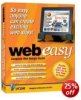
Web EasyYou now need to create some pages of web content. There are quite a range of website editing packages out there, and with quite differing price ranges - two of the cheaper packages around are Web Easy (around £25) and Namco Web Editor (around £55) which offer enough to get you going. If you're on a tight budget, you can just use Word (which has a File > Save as web) option, although this solution isn't as flexible as a dedicated package.

Once you've decided on how you'll be making pages, start off with a basic homepage, perhaps with a couple of images. Once you've created a basic page, save it with the filename of index.html (the standard name for a homepage)

A way of uploading pages The next step is to upload this to your webspace, and for this you need something called an FTP program. Many web editing packages come with this built-in, making it easy. If you need an FTP package, one of the better freebie applications is WS-FTP. You need to use this to connect to your webspace (using the details you got earlier), then copy the index.html file (plus any images) to your web storage space.
Once you've done this, you should be live!


Improving your site

The next step is to improve upon your site, create more pages, and to add content to the site. Take time to think about what you'd like to put on your site, and do your research - perhaps looking at other sites doing something similar to what you want to do.

There are thousands of websites out there offering help on web design, so we're not going to go into too much detail here.


A better online presence

A domain name

Domain names from names.co.ukSo far, you're running with free webspace and a fairly messy web address. The next step is to look at registering a domain name for your site. We're currently recommending Names.co.uk as they offer cheap domain registration, and a range of other services.

Pick yourself a domain name and then order it - you'll be looking at paying between £2 and £5 for a .co.uk web address. If you've got your website hosted on free webspace, , you can log on the site where you've bought your new domain name and point the domain name to your existing free webspace - this is a called "domain forwarding".

If you're looking for the more professional option, you should consider hosting the website on some non-free storage space - this gives you extras like web statistics, more storage space, and control over your emails. Again, Names.co.uk are worth a look. You then upload your web pages to the hosting company, and they look after your pages, providing you with tools to monitor and update your site. More on UK Hosting

Note that we no longer recommend 1 & 1 Internet


Getting noticed

Now you have a site, you need to tell people about it, in whatever way best suits your audience - you also want to make sure that your site gets noticed by the search engines such as Google and MSN - this way, people will be able to find you.

Some of the ways to get noticed by the engines include:

  • Getting a link added to sites that are already in the search engine - email a few other sites (friends, colleagues, or related websites), and ask to get them to link over to your site. That way, next time the engines scan the other sites, they'll find you and index you.
  • Fill in the 'Add URL' form on the search engines sites, to ask the engine to find you.

There are a range of other tricks, including making good use of your meta tag data, or taking out a Google Adwords campaign,but that's a little too advanced for this basis page to go into right now.

Making money? If you're looking to recoup your costs in setting up a site, you could consider running some advertising on the site. This is a common practise these days, and there's some information on this at our sister site - see the ConsumerDeals Affiliate page.

Ready to Rank Better? Get SEOmoz PRO

Internet Resources - Links to webpage tools, web design links, search engine submissions and counters

More information on UK Broadband Providers or dialup access providers.

If you're looking for a basic website without the hassle, try Do your own for a 30 day free trial


Is this page correct? Something out-of-date or broken? Report a page error.
Please help us correct the problem and to keep this site up-to-date.

If you're looking for help, please don't use this option - instead use our forum