



BT Openzone - Using BT's Wireless Hotspots
Out and about and looking for a wireless Internet connection? You might find a BTOpenzone or BT Fon hotspot close to you.
BT OpenZone is now known as BT Wifi
What is BT Openzone?
 Essentially, this is BT's network of wi-fi "hotspots". If you have a computer, mobile or other device with built-in wi-fi, you should be able to get Internet access on the move by connecting to one of the many BT Openzone access points in the UK.

Using a BT Openzone Access Point
In the UK, there are over 700,000 BT Openzone access points, in places such as Starbucks, Caffe Nero, Road Chef and Hilton.
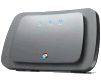 BT Openzone offers thousands more hotspots than their competition (such as T-Mobile T-Zones or The Cloud) through use of the BT FON network.
Users of BT Broadband are provided with a BT Home Hub (pictured) - This is a home Internet router, and this allows a small portion of bandwidth to be made available to other BT Broadband users using the BT Fon hotspot network. In return for sharing out a small percentage of bandwidth, BT Home Hub users can use the BT FON network for free when they roam onto another Home Hub. More details on our BT Fon page.
Want to learn more? We looked at Hotspots in our podcast - Have a listen to FrequencyCast Show 46 for a decent overview of using hotspots.
How much does it cost?
There are several options, including:
- Occasional use: 15p per minute on a pay-as-you use basis, or get 90 minutes for £5.99
- Regular users: Monthly subscription of 500 minutes wi-fi surfing time for £5 a month
- Heavy users: Unlimited BT Openzone surfing plus 500 minutes on T-Mobile T-Zones in the UK for £12.50 a month
- BT Broadband? If you get your home broadband from BT, you get free BT Openzone minutes - ranging from 250 minutes a month to unlimited BT Openzone minutes. BT Broadband Help.
Check out the options in full at www.btwifi.com
How to use BT Openzone
- Make sure your laptop (or other device) has wi-fi enabled (may be a physical switch or a software setting)
- Look for all access points in your area via the Wireless Networking application
- Find a "BT Openzone" and select it. If successful it should show "Connected"
- Now, open a web browser and try to access a site. You should be taken to a BT Openzone page
- Log in with your BT Openzone username and password (or create an account if you don't have one)
Need an account? Go to www.btwifi.com
  PODCAST FEATURE: We looked at the wireless hotspots in show 46 of our podcast. PODCAST FEATURE: We looked at the wireless hotspots in show 46 of our podcast. Listen to Show 46 | What is FrequencyCast? | Add us to iTunes |
Problems with BT Openzone?
If you can see the Openzone Access Point, but can't connect, make sure your computer's wireless device is set to get an IP address using "DHCP" not "Fixed":
- In Windows XP: Start > Settings > Network Connections > [Wireless card] > Properties. Then select "This connection uses: Internet Protocol (TCP/IP)" and press 'Properties'. Make sure "Obtain an IP address automatically" is selected.
Need help? Contact the BT Openzone team on 0800 169 1397 (8.00am-6.00pm weekdays), or on 01793 590 221.
Your Openzone Questions
Q. I am a BT broadband user and my phone is connecting to a BT Openzone hotspot. I this because I am also a BT Fon member? Can BT Fon users connect to BT openzone for free?
A. If you are a BT Broadband customer with a BT Home Hub, you can set your Home Hub to use a service called BT Fon, which shares a small percentage of your bandwidth for other BT FON users. Assuming you are opted in to BT Fon, then yes, by using your BT Broadband username and password, you should be able to connect to BT Fon and BT Openzone.
Got a question about BT Openzone? Contact us, or ask in our networking forum
Useful links:
- Wi-fi help and advice - Help with your wireless connection
- BT Broadband Info - Try here for information on BT Broadband settings and services
- Broadband Anywhere - Information on the Windows Mobile smartphone that is supplied as part of BT Broadband Anywhere
- FrequencyCast Show 46 - The UK Technology podcast feature on wi-fi hotspots
Bookmark this page:


